Hii guys i'm very sorry to say that my laptop is bricked and my computer doesn't has the internet driver. I also can't install D driver due to some reasons... So now I don't have a medium to surf. So my blog will be suspended till my laptop gets repaired. I still can advise some good apps through blogger Droid. But I need my laptop to post HD games like Brothers in Arm 2, NFS Hot Pursuit(hud and touch fixed), GT Racing, NOVA HD(virus room fixed). ETC...
Get many exciting stuff for your Galaxy Y i.e HD games/Games, Apps ETC Please click that G+1 button if you like this blog
Monday, 9 July 2012
Tuesday, 26 June 2012
Assasins Creed: Altairs Chronicals on Samsung Galaxy Y
Well the most hit PC game by UBI Soft has arrived to android. So pickup your swords and download the game.
About the game - Very nice graphics, nice story, big game(so you won't get bored so easily). Non - laggy except level 1 and a swewer level. I'm sure that you will love this game. ;-)
Root needed and android 2.3.6 or higher or else you may suffer from white texture problems.
Download the .APK file from This Link
Data from This LInk
Chainfire3D from This Link
And chainfire's plug - ins from This Link
So after downloading the apk keep it anywere in the SD Card and EXTRACT the data to Gameloft/Games/*HERE*.
Also put apk of chainfire any were in the SD Card and also EXTRACT the plugins any were in the SD CARD(plugins name should be like powervr.zip, Qualcomm.zip and Nvidia.zip). Then install chainfire and open it, Install the CF3D driver only for the first time and then it would reboot. After reboot open chainfire and go to install plugins/shaders, It will scan your SD card and there would be 3 files install them and then go to Default OpenGL settings and tick reduce texture quality and then scroll down to use plugins and choose Qualcomm. Then close chainfire and go to task manager and clear memory and theeeen!!!!!? Install the apk file of assasins creed and play it.
Any problems just comment below.:-)
How to root Samsung Galaxy Y
Okay guys if you want access to apps like chainfire3D then you need to root your phone. Its very easy just do as I do.
First download This File
The file name is 'Update.zip' copy it to your SD card. Remember you have to paste it in the SD card not in any sub - folder.
Then switch off your phone and then go to recovery mode. To go to recovery mode hold the Vol up + Home button + Lock button(When the phone is off).
After that you would be in the recovery mode. There would be 4-5 options there. Choose D second one 'Apply update from SD card, To choose that you have to scroll down with volume keys and enter with Home key. After that choose the file we downloaded and then reboot. After rebooting you would see that there's a new app in D app drawer called 'Super User'. Done!!!!!!!!! Your phone is rooted. Now you would be able to enter apps which need 'Super user's permission'.
Any problem just comment below
First download This File
The file name is 'Update.zip' copy it to your SD card. Remember you have to paste it in the SD card not in any sub - folder.
Then switch off your phone and then go to recovery mode. To go to recovery mode hold the Vol up + Home button + Lock button(When the phone is off).
After that you would be in the recovery mode. There would be 4-5 options there. Choose D second one 'Apply update from SD card, To choose that you have to scroll down with volume keys and enter with Home key. After that choose the file we downloaded and then reboot. After rebooting you would see that there's a new app in D app drawer called 'Super User'. Done!!!!!!!!! Your phone is rooted. Now you would be able to enter apps which need 'Super user's permission'.
Any problem just comment below
Sunday, 3 June 2012
Need For Speed Shift on Samsung Galaxy y
Hey guys this blog has reopened(Just 1 comment left) and today I'll teach you how to install NFS Shift on Galaxy y. Its a very nice game which works without lag and has very nice graphics.
ROOT NEEDED
Download the apk file from: This Link.
Download the DATA from: This Link.
Download Chainfire 3D from: This Link.
Download the Plug-ins from: This Link.
Keep the APK file of NFS shift and Chainfire anywhere in you SD Card and extract the data to Android/Data/*HERE*. The name of the data folder after extraction should be something like 'com.eamobile.nfsshift_na_wf'. Then install NFS shift(apk) and Chainfire 3D(apk) then extract the Plug - ins anywhere in the SD Card(name of the plugins should be something like POWERVR.ZIP, QUALCOMM.ZIP and NVIDIA.ZIP). Then open chainfire3D and go to 'install plugins/Shaders' and install the three plug - ins then in chainfire3D go to 'OPEN GL settings' then tick on 'Reduce texture quality' and then open 'use plugins' and select 'Qualcomm'.
There will a black screen problem when we start a race. You simply have to lock the phone in that black screen and after unlocking, you'll be at the pause menu resume it to continue.(Solved by nirmanyu97)
Comment Below if you have any problem. :-)
Friday, 1 June 2012
The Prince Return
Hi everyone I had stoped using this blog because of unpoppularity and I got an invitation from galaxyyoung.in to post for them. I accepted that and became a member there. So now Im thinking of restarting this blog. If any viewer want me to come back then plz comment below. I promise you guys to serve the best. If I get 5 positive comments then Ill be back in bussiness
Monday, 9 April 2012
Retired
Hi everyone plz go to mysamsunggalaxyy.blogspot.in. i joined this blog and now wont be posting anything here.
I also upload NFS shift there.
GO checkout the site another domain is www.galaxyyoung.in
I also upload NFS shift there.
GO checkout the site another domain is www.galaxyyoung.in
Thursday, 1 March 2012
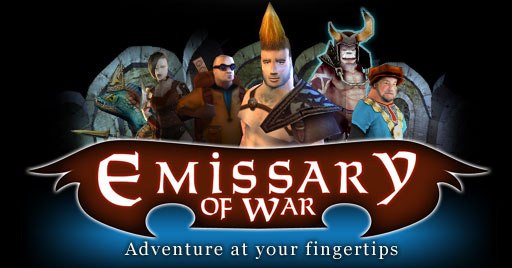
Emissery of War on Samsung Galaxy y
Hey friends in this post I'll upload Emissery of War You don't need root or chainfire in itThis is a very nice game an Action RPG 3D game
Download the apk file from: http://www.mediafire.com/?cguiq8a684ggl4m
Then, Download the data from: http://www.mediafire.com/?ox8ufwopz6uzd9z
put the apk anywere in the sdcard and install it
Extract the data to Sdcard/Android/Data/*HERE*
and play the game Done!!!!
Subscribe to:
Posts (Atom)